Whisperit can be used to record and transcribe entire meetings. Follow these steps:
- Start Recording: Begin recording the meeting using Whisperit.
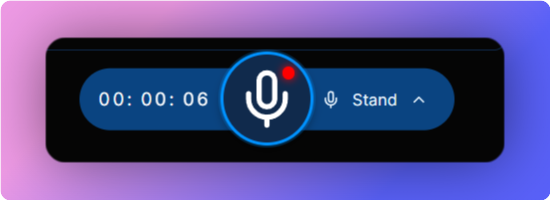
The red dot on the microphone denotes the recording has started
- Record the Meeting: Whisperit will listen and record the entire meeting.
- Stop Recording: Stop the recording once the meeting ends.
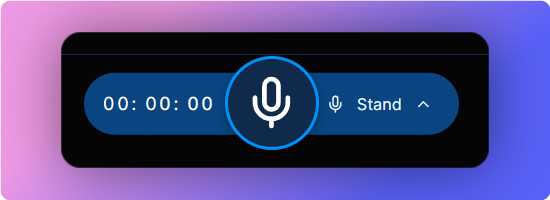
When there is no red dot on the microphone, this means the recording has stopped
- Transcription: Whisperit will transcribe the entire meeting recording.
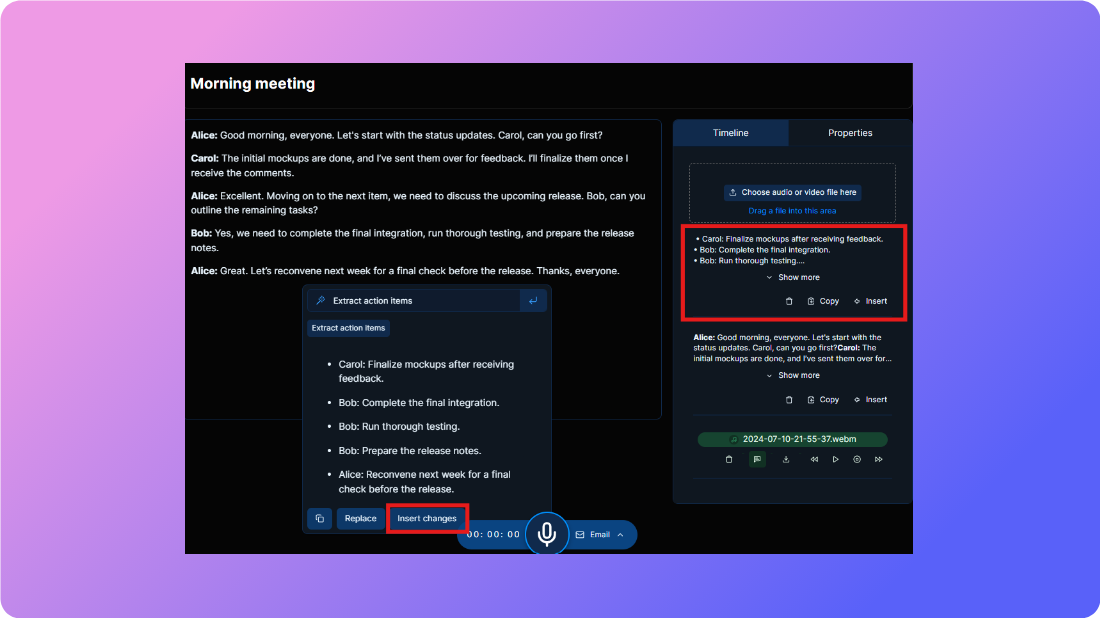
- Review Transcription: The transcription will be auto-pasted into the text box and shown in the right pane for future reference.
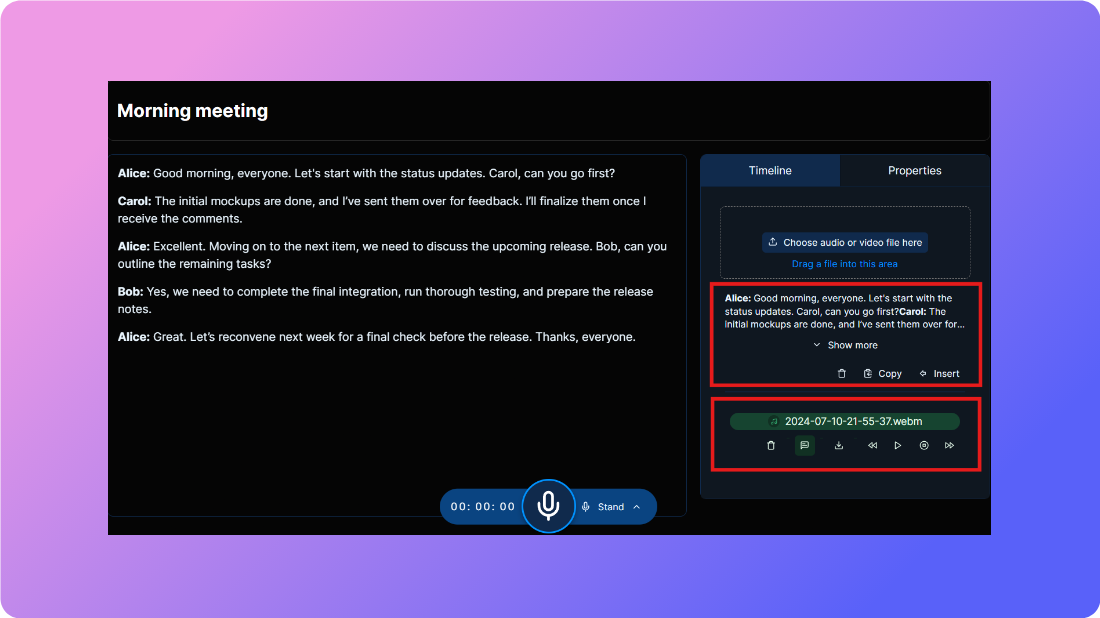
- Playback Recording: The complete meeting recording will be available in the right pane for listening back.
- Use AI for Enhanced Analysis:
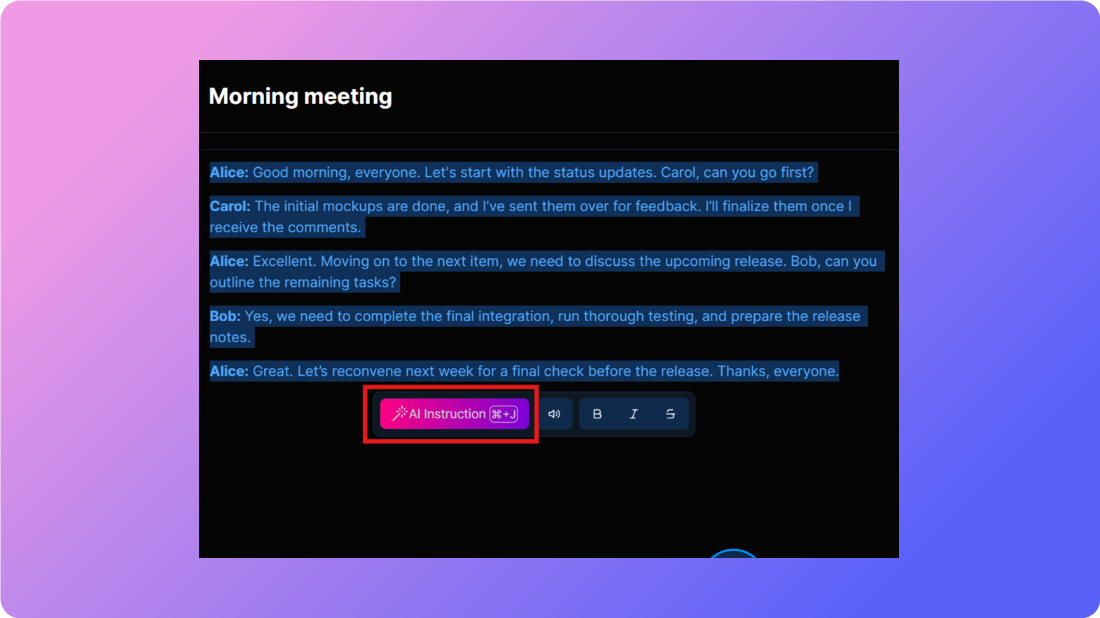
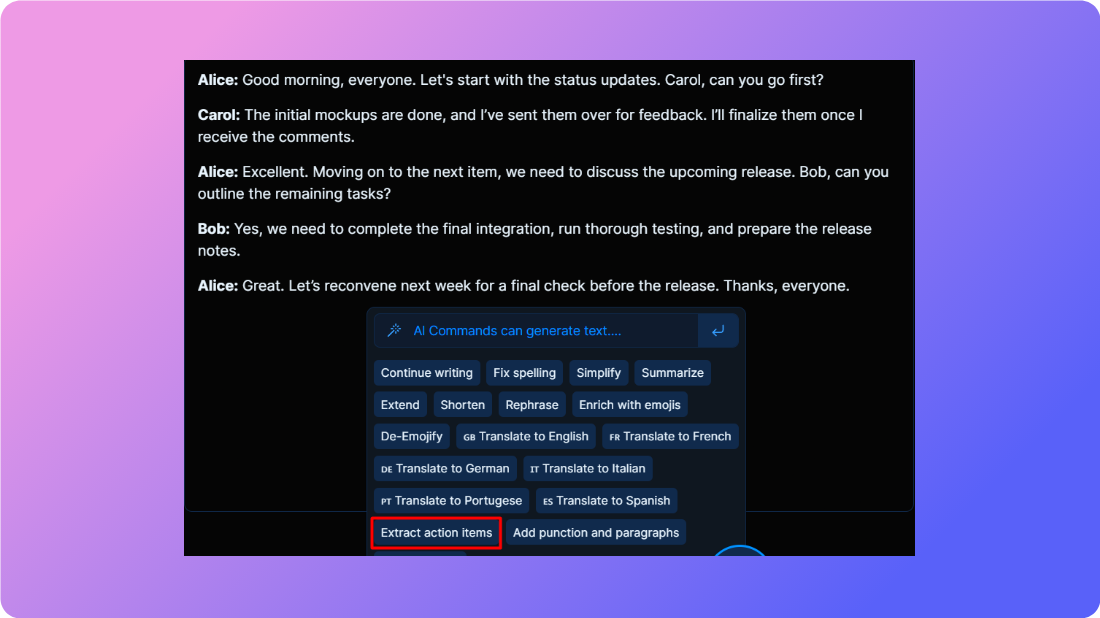
- Option 1: Select the transcribed text and use AI to summarize and list action points.
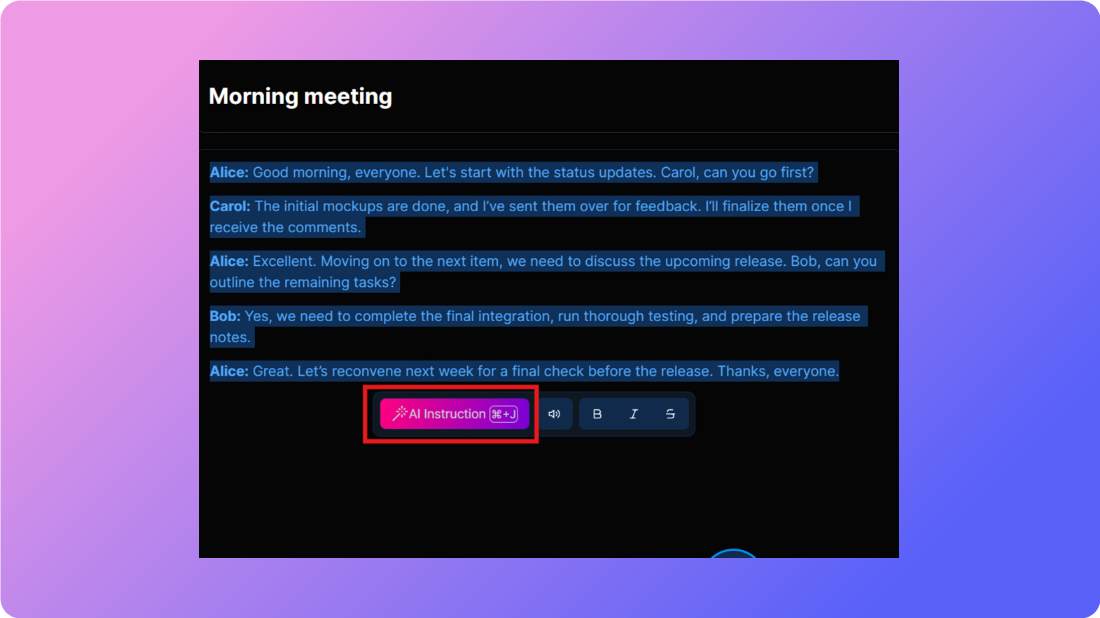
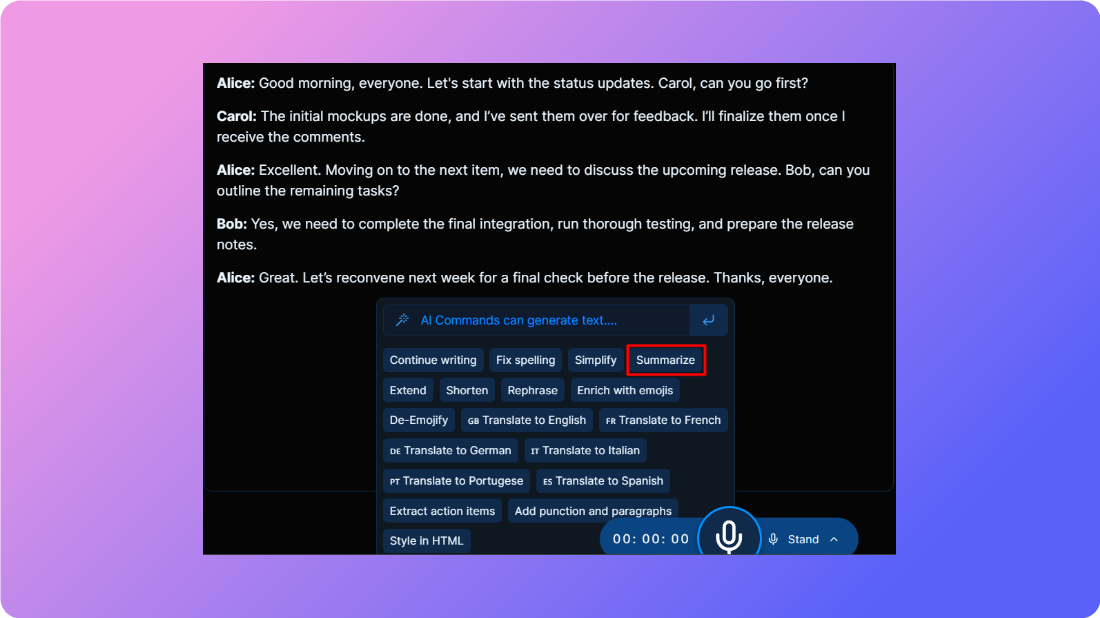
- Option 2: Use the smart dictation feature to ask AI to summarize and list action points.
By following these steps, you can easily keep track of meeting notes and action points using Whisperit's AI capabilities.