What is Whisperit?
Whisperit revolutionizes text editing with AI and advanced dictation features. Designed with privacy at its core, Whisperit ensures your data is secure while enhancing your writing experience.
Features:
- Advanced AI Dictation: Experience top-notch dictation powered by AI for seamless and efficient writing.
- Custom Templates: Create and use your own templates to effortlessly generate your preferred outputs.
- Flexible AI Providers: Choose the AI providers that best suit your needs. Use your own self-hosted AI or opt for our secure, compliant AI hosting.
- Meeting Transcription: Record meetings and transcribe the results according to your specific requirements.
Whisperit leverages the power of ChatGPT and other AI models to help you write faster and more effectively, all while keeping your privacy intact.
Billing plan
- One time purchase
The first option is to buy eWhisperer one time and then to use it with your own API keys or your own models that you host yourself.
- Subscribed standard
Subscribe to a the standard plan to get unlimited access to OpenAI ChatGPT and Claude models.
- Subscribed secure
WhisperIt offers three billing plans to suit different needs. Below is an easy-to-understand guide to help you choose the best option for you.
1. One Time Purchase
What it is:
- Pay once and own WhisperIt forever.
- You will need to use your own API keys or host your own models.
Who it's for:
- Ideal for those who want a long-term solution without recurring payments.
- Best for users who are comfortable managing their own technical setups.
2. Subscribed Standard
What it is:
- Pay a monthly subscription fee.
- Get unlimited access to popular AI models like OpenAI's ChatGPT and Claude.
Who it's for:
- Perfect for users who want hassle-free access to powerful AI models without managing their own APIs.
- Suitable for those who prefer a regular payment plan for continuous access.
3. Subscribed Secure
What it is:
- Pay a monthly subscription fee.
- Use secure API endpoints provided by WhisperIt.
Who it's for:
- Best for users who need an extra layer of security for their AI interactions.
- Ideal for businesses or individuals with sensitive data requirements.
Choose the plan that best fits your needs and enjoy the capabilities of WhisperIt tailored to your preferences!
Step by step guide to use Whisperit
Step 1: Get Your OpenAI API Key
- Sign up for an OpenAI account at platform.openai.com/signup
- Go to the "Manage Account" section.
- Find the "API keys" area and generate your API key. Copy the key.
Step 2: Dictate your first document
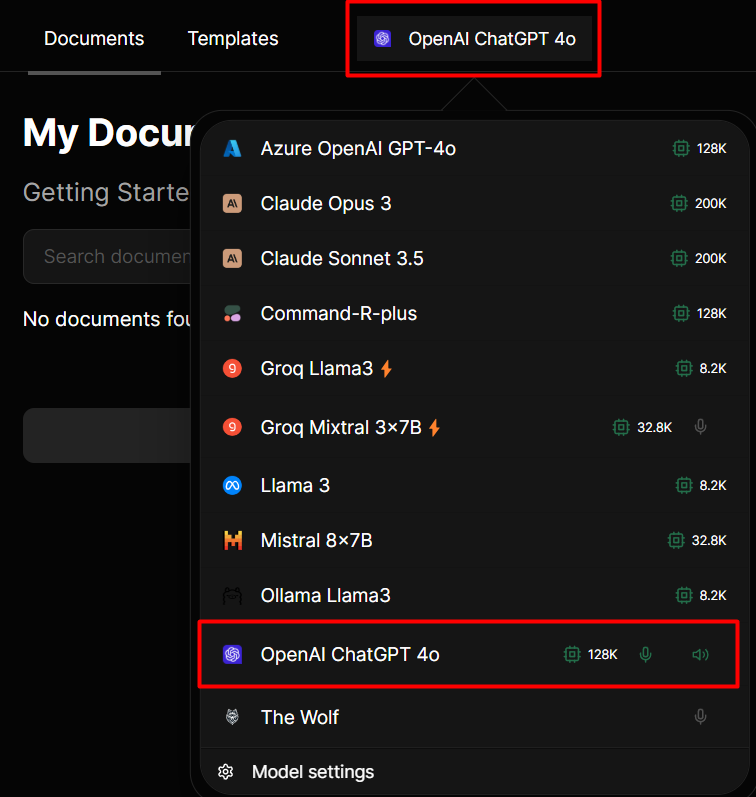
1. Choose the Model in Whisperit
- Select OpenAI as your primary model and voice provider for an enhanced and seamless experience.
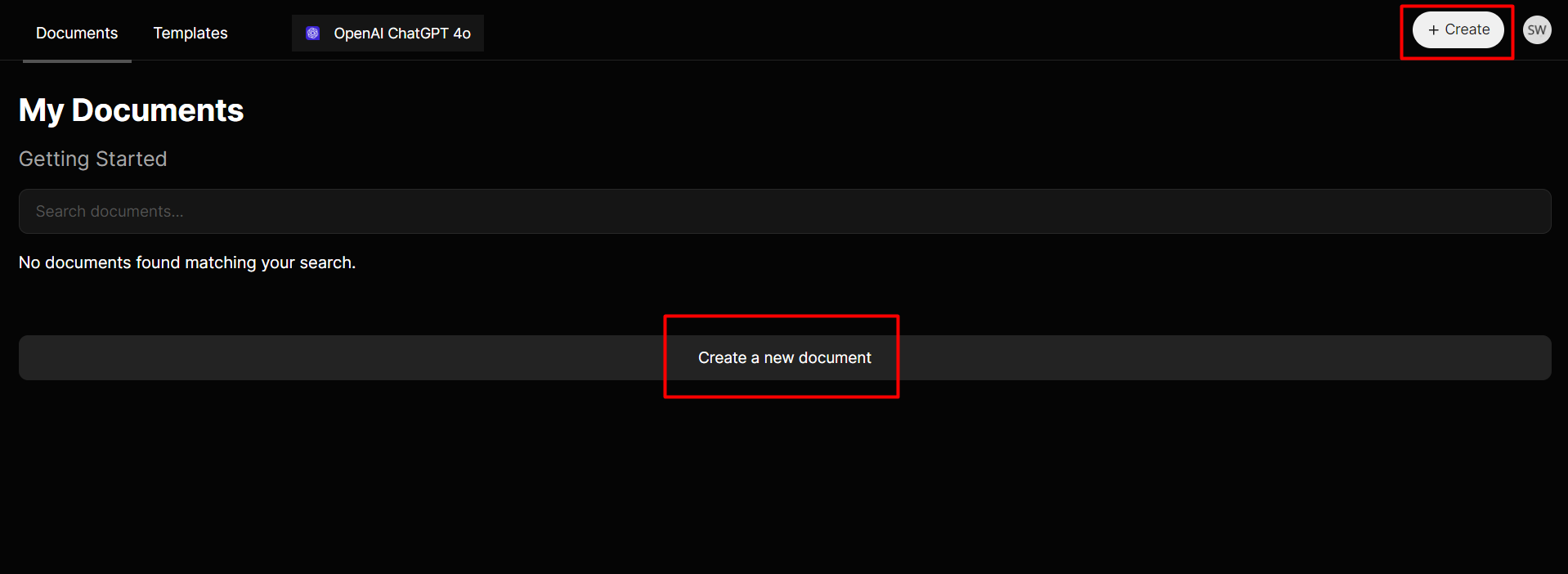
2. Start a New Document
- Click the “+Create” or “Create a new document” button to open a blank document.
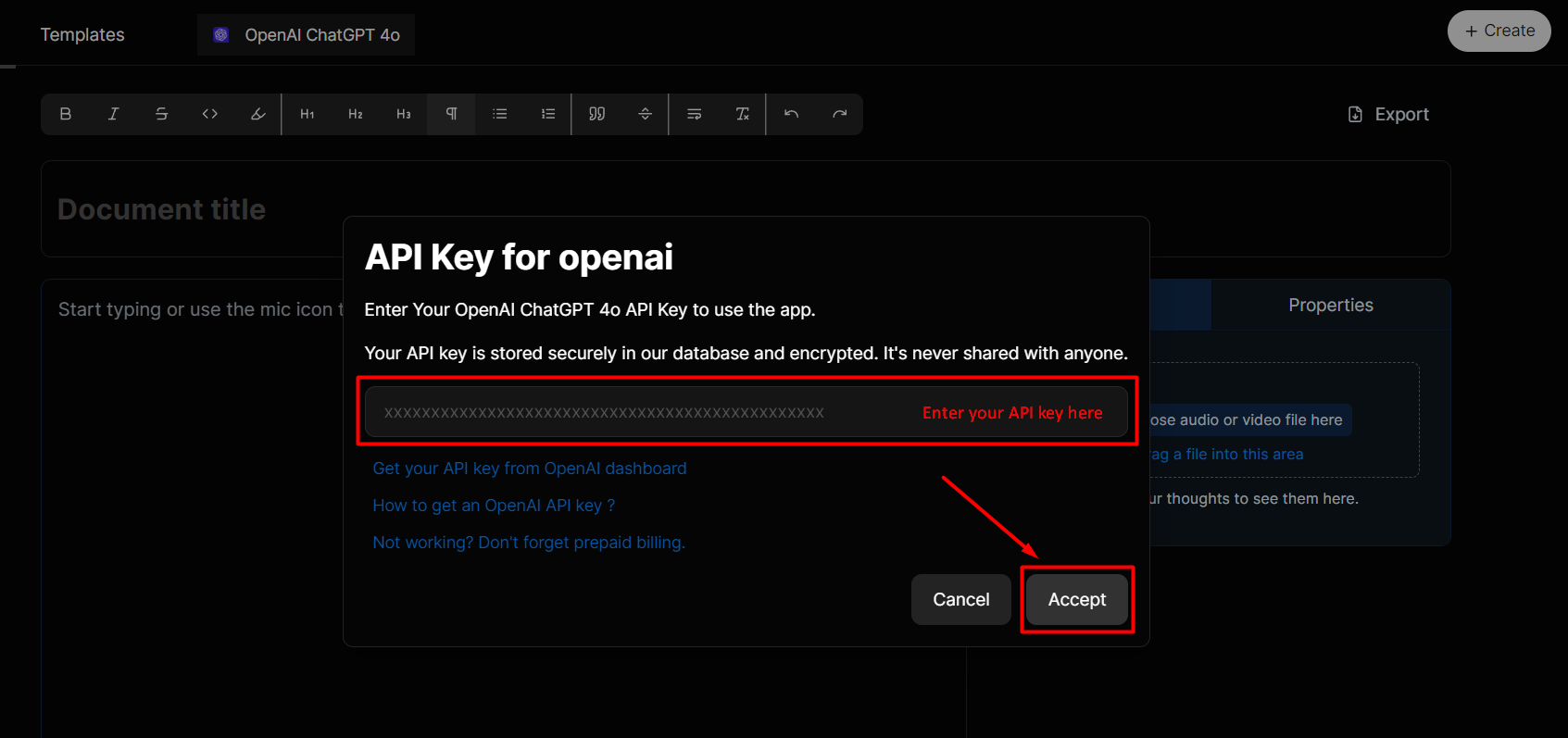
3. Enter Your API Key in Whisperit
- A prompt will appear asking for your OpenAI API key.
- Paste the API key into the input box.
- Click on Accept to complete the setup.
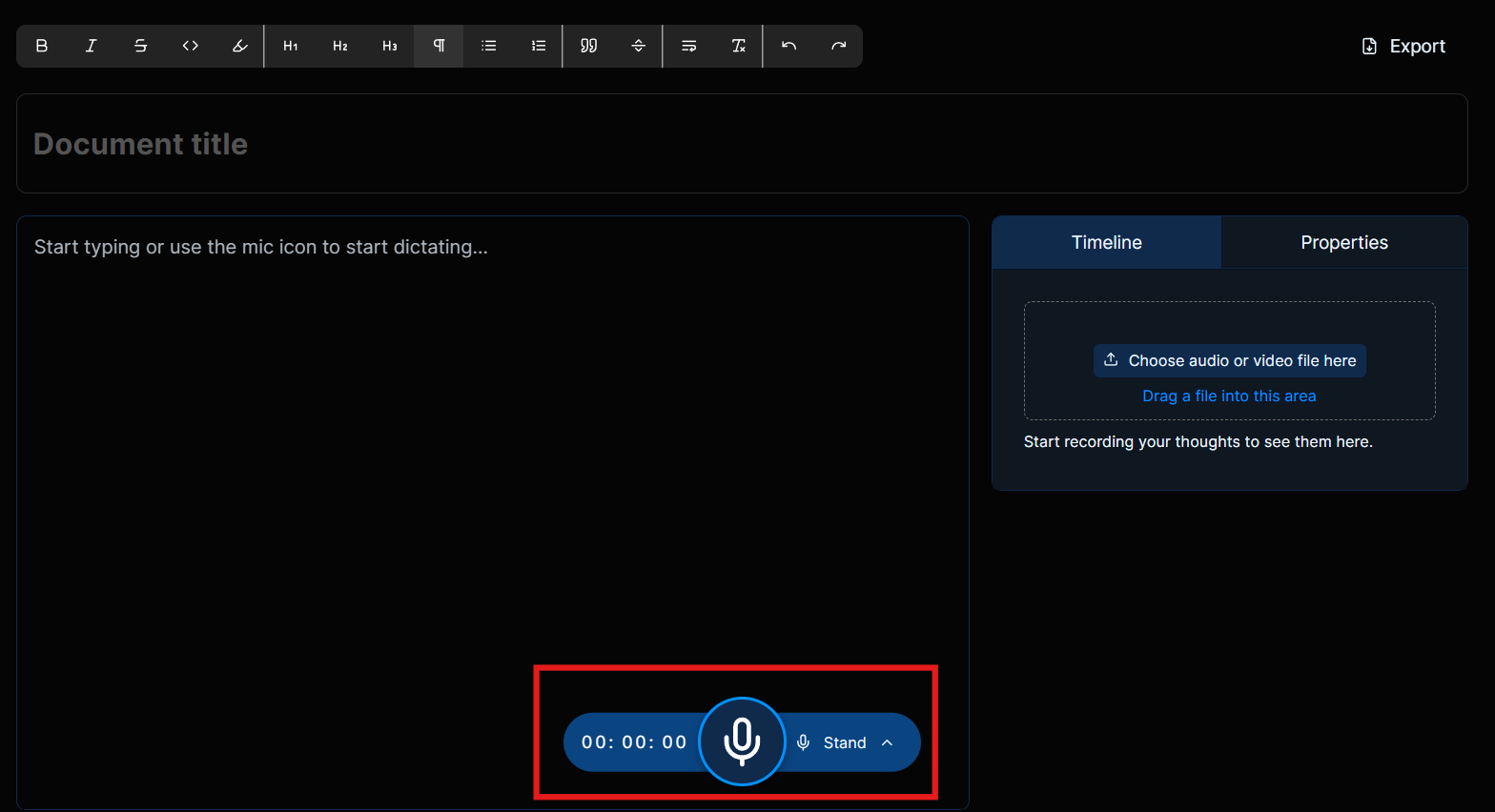
4. Start Dictating Your Document
- Use the microphone icon at the bottom of the screen to dictate your content.
Step 3: Enhance Your Document with AI
- Use a template to ask AI for more detailed content or assistance.
- This feature can help you structure your document or provide additional information.
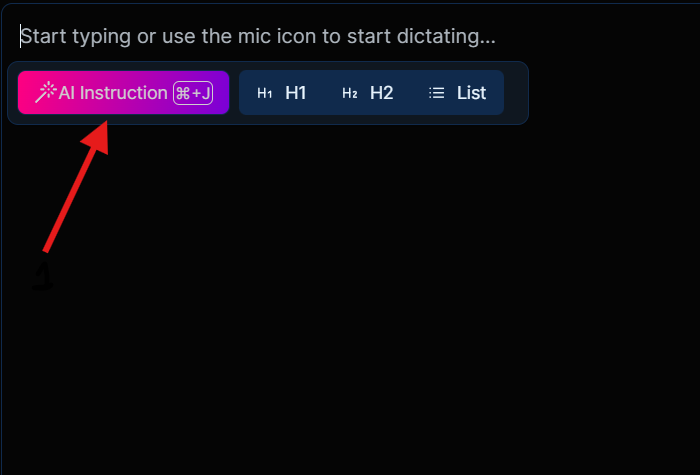
If you click “AI instruction” button you will be able to see a bunch of AI templates. 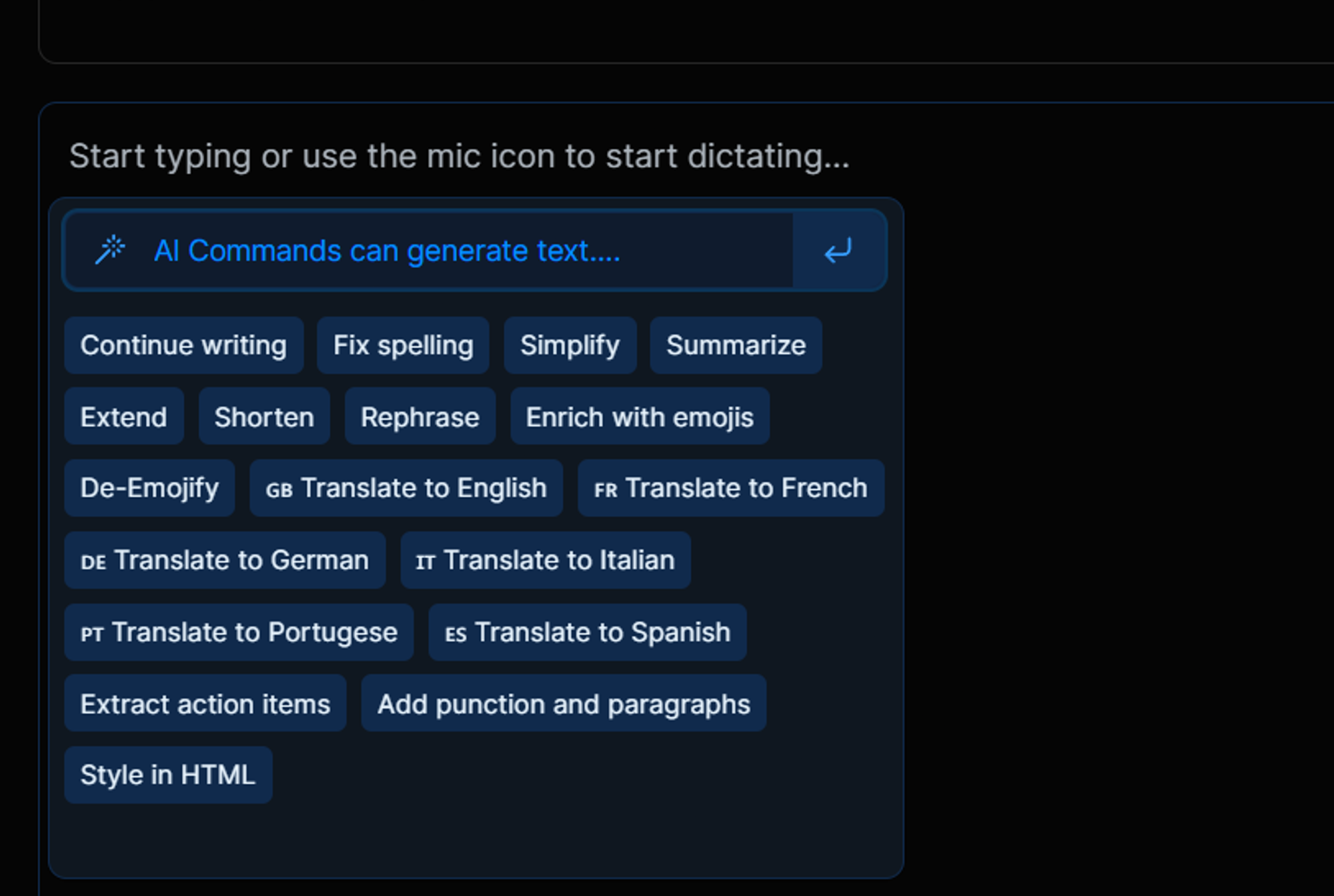
Choose from a wide variety of AI templates which helps you to effortlessly create the perfect document tailored to your needs.
You can also transcribe audio or video files in the same document
- You will need to have an OpenAI paid account and pay them for your API usage.
- The OpenAI API paid account is different from the ChatGPT Plus subscription
- For more details, please refer to the official docs: Get OpenAI API key